





ALERTS SOC2 Certified

Alerts. Catch Events in Real Time, Not in End-of-Day Reports.

Built for IT directors, ops managers, and HR leads who want to act on attendance, productivity, security, and policy events the moment they happen. Across 10 to 100,000+ Modern Teams.

Free 7-Day Trial

15 mins Setup

No Credit-card

Real-time workforce alerts icon - We360.ai rule and AI-triggered notifications

Trusted by leading workforce teams across the globe

holcim
hero
better
akuman
canra
PATANJALI
holcim
hero
better
akuman
canra
PATANJALI
Quick Answer
Featured

Workforce alerts software notifies managers when specific employee events occur: late arrivals, inactivity, absence, overtime breaks, and restricted URL or application usage. We360.ai sends automated email notifications to the relevant stakeholders and keeps a full, exportable alert log, so the right person acts instead of finding out in a daily report.

Explainer

What exactly is workforce alerts software?

It watches workforce signals and notifies the right person when a condition is met, so events surface in real time.

Alerts run continuously in the background, and every triggered alert is logged for review, so managers see events as they happen instead of digging through end-of-day reports.

What can trigger an alert?
Absence, inactivity, late arrival, overtime break, restricted URL access, restricted application usage, and unproductive app usage.
Where are alerts delivered?
An automated email is sent to the relevant stakeholders, and every alert is kept in the in-app alert log.
Where are rules configured?
Under Settings, then Emails & Alerts, then Alert Rules. The Alerts module itself is the read-only log.
Can I export alerts?
Yes. Filter the history by date and export to CSV.
How is this different from a SIEM alerting tool or a helpdesk alert system?
SIEM alerting is security-ops-focused with no workforce context; helpdesk alerts are support-ticket-focused. We360.ai's alerts fire on workforce signals like attendance, productivity, and policy events, tied to the same platform as the rest of your workforce data.

KEY TAKEAWAYS

How Alerts Work Inside Workforce Analytics

Alerts turn signals in the platform into timely notifications, so events become action, not after-the-fact reports.

01 DEFINE

Set alert rules

Set rules under Settings, then Emails & Alerts, then Alert Rules: which event and threshold, for which users or teams.

02 CAPTURE

Trigger on events

When a rule's condition is met, the platform fires an alert and logs it.

02 CONTROL

Notify stakeholders

An automated email goes to the relevant stakeholders with the reason, user, and last-seen time.

04 AUDIT

Review the log

Every alert is kept in the paginated log, timestamped and exportable to CSV.

Six capabilities every IT director needs

The six controls IT, ops, and compliance actually use. Every card links to deeper documentation or a sibling feature spoke.

Configurable alert rules

Absence, inactivity, late arrival, overtime break, URL, application, and unproductive app usage.

Triggered alert log

Paginated history of every fired alert, with a total count.

Alert details

Date, type, description, the user, team, and time per alert.

Email notifications

Automated email to stakeholders with the reason, user, and last-seen time.

Auditable timestamps

Every alert logged with a precise timestamp.

CSV export

Filter the alert history by date and export to CSV.

CAPABILITIES

Built for the three people who own alerts

IT Directors, Operations Managers, and HR Directors each see alerts through a different lens. We360.ai serves all three on one platform. No separate tools.

USER_01

COMPLIANCE + SECURITY

IT Director / CISO

AUDIT-READY CONTROL

Alerts on restricted URL access and restricted or monitored application usage.

USER_02

EVIDENCE + AUDIT

Operations Manager

FULL EVIDENCE TRAIL

Absence, inactivity, and late-arrival alerts around shift start.

USER_03

QUALITY ASSURANCE

HR Director

SCOPED TEAM CONTROL

Late arrival, overtime break, and absence alerts by email.

SECURITY & COMPLIANCE

Built for Enterprise IT: Secure, Compliant, and Scalable

Ensures Privacy and Security with Encrypted Data, Secure Connections, and Multi-Standard Compliance.

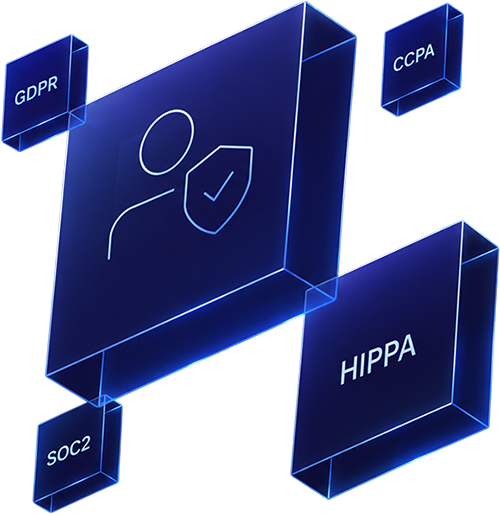
We360.ai security and compliance hexagon - SOC 2, ISO 27001, GDPR, HIPAA

COMPARISON

Three different "workforce alerting" categories. We360.ai is one of them.

The phrase "alerting" gets used for three unrelated needs. Here's where We360.ai fits, and where it doesn't.

Capability

SIEM Alerting

Security ops tools

Helpdesk Alerts

Support ops tools

We360.ai (Workforce Alerts)

We360.ai

Primary user
Security ops
Support ops
IT + ops + HR
Workforce signals
LIMITED
NONE
NATIVE
Email notifications
VARIES
VARIES
NATIVE
Exportable alert log
VARIES
VARIES
NATIVE
Attendance + usage events
NONE
NONE
NATIVE
Starting price
Varies
Bundled
$7/user/mo

Connect workforce Analytics across Tech Stack

20+ integrations across HRIS, project tools, and collaboration platforms.

Real Teams. Real Outcomes.

See what our customers have to say

Workforce Analytics Pricing built for scale.

Start on Pro when you need workforce intelligence. Scale to Enterprise when your team is ready for advanced AI.

The Signal Suite modules ops and IT teams pair with this.

Alerts are the notification layer; pair them with the modules below for the full workforce signal set.

Domain Blocking

Blocked-URL events feed alerts.

USB Detection

USB events for data loss prevention.

Settings

Configure alert rules under Emails & Alerts.

Attendance Insights

Attendance signals behind alerts.

Voted #1 for Visibility, Results, & Ease of Use

We360.ai earns top ratings for helping teams work smarter with clarity, simplicity, and measurable results that directly impact the bottom line.

What IT Leaders Ask About Alerts

The 8 questions procurement calls raise every time.

How Does Alert Triggering Work?
A rule's condition is met on workforce signals like attendance or app usage, and the platform fires an alert automatically.
Can Alert Rules Be Scoped to Specific Teams or Users?
Yes. Rules are configured under Settings, then Emails & Alerts, then Alert Rules, for specific users or teams.
Where Are Alerts Delivered?
An automated email goes to the relevant stakeholders, and every alert is kept in the in-app alert log.
Can Alerts Be Exported?
Yes. Filter the alert history by date and export to CSV.
What Events Can Trigger an Alert?
Absence, inactivity, late arrival, overtime break, restricted URL or application usage, and unproductive app usage.
Is There an Audit Trail?
Yes. Every alert is logged with a precise, auditable timestamp.
How Long Does Setup Take?
15 minutes for default alerts, 1 to 2 days for a full custom rule set.
Does the Platform Respect Privacy?
Yes. SOC 2 Type II, ISO 27001, GDPR, HIPAA. Alert visibility is role-scoped.

Ready to find your team’s
hidden 11 hours ?

Ready for 7 days trial | Exclusive support | No fees